How to Check Ration Card Payment Status by CNIC
Many families across Pakistan depend on ration support programs to manage monthly grocery expenses. If you have already applied for a Rashan or Ration Card, the next important step is to check whether your payment has been approved and released.
The good news is that you can check your Ration Card payment status using your CNIC. You do not need to visit offices again and again. In most cases, you can confirm your status online or through SMS from your mobile phone.
This guide explains everything in simple steps.
What Is a Ration Card Payment?
A ration card payment is financial or subsidy support provided to low-income families so they can purchase essential food items like flour, sugar, oil, and pulses at discounted rates.
In Pakistan, ration assistance has been provided under programs such as:
- Benazir Income Support Programme
- Ehsaas Rashan Riayat Program
- Punjab Social Protection Authority
Each program may have a slightly different method for checking payment status, but all of them use your CNIC as the main verification tool.

Why CNIC Is Required for Status Check
Your CNIC is linked with your application, bank details, and eligibility data. The government verifies your financial condition through NADRA records and other databases.
National Database and Registration Authority keeps your identification record. When you enter your CNIC for ration status, the system checks your profile and shows whether:
- Your application is approved
- Payment is released
- You are under verification
- You are not eligible
Make sure you always enter your correct 13-digit CNIC number without dashes.
Method 1: Check Ration Card Payment Status by SMS (8171 or Official Code)
This is the easiest method and works on any mobile phone.
Steps:
- Open your mobile message app.
- Type your 13-digit CNIC number.
- Send it to the official code (for example 8171, depending on the program).
- Wait for a reply message.
You will receive a message telling you whether your payment has been approved or not.
Important Tips:
- Send the SMS from a SIM registered on your own CNIC.
- Keep some mobile balance for SMS charges.
- Do not share your CNIC with unknown numbers.
This method is best for people who do not have internet access.

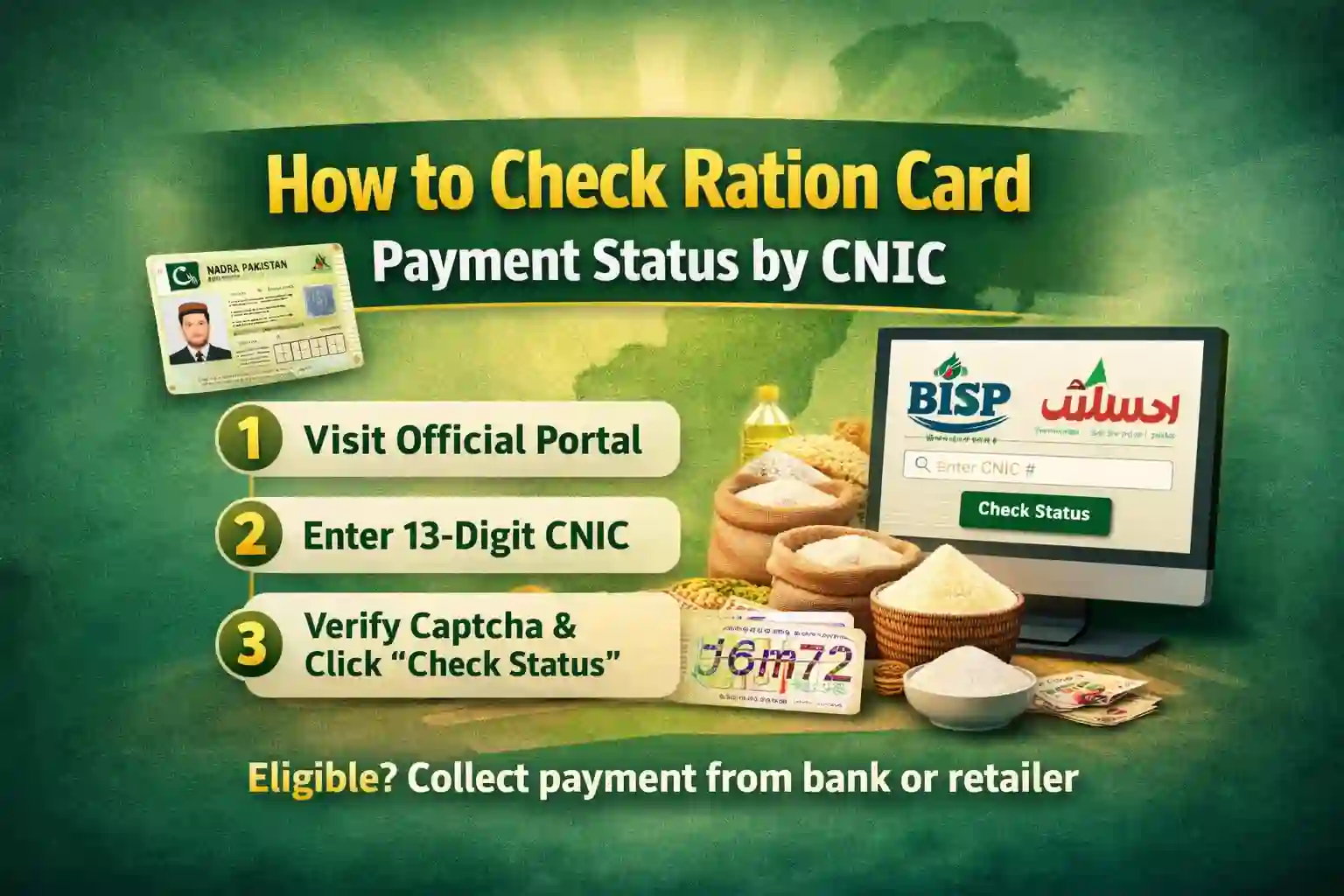
Method 2: Check Ration Card Payment Status Online by CNIC
If you have internet access, you can check your payment online through the official web portal of the respective program.
General Online Checking Process
- Visit the official website of the ration support program.
- Enter your CNIC number in the required field.
- Complete the captcha code if shown.
- Click on “Check Status” or “Submit.”
- Your payment details will appear on the screen.
The system usually shows:
- Eligibility result
- Payment release date
- Amount details
- Collection instructions

Ehsaas Rashan CNIC Status Check
If you applied under the Ehsaas Rashan program, you can check your status in two ways:
1. Through 8171 SMS
Send your CNIC to 8171 and wait for confirmation.
2. Through the 8171 Web Portal
Visit the official 8171 portal and enter your CNIC to see your eligibility and payment details.
If your payment is approved, you can receive subsidy benefits from registered utility stores or partner shops.
Punjab Rashan Card Payment Status Check
In Punjab, ration subsidies are often managed under the supervision of the provincial government.
Government of Punjab provides support through different relief schemes.
To check your Punjab Rashan Card payment:
- Visit the official Punjab social protection website.
- Enter your CNIC number.
- Click on check status.
- View your payment or subsidy confirmation.
If your status shows “Approved,” you can collect your subsidy from designated shops.
How to Know If Your Payment Is Released
When checking your CNIC status, you may see different messages. Here is what they usually mean:
1. Eligible
You qualify for the program, and your payment may be processed soon.
2. Approved
Your application is successful, and payment is released or ready.
3. Under Verification
Your data is still being reviewed.
4. Not Eligible
Your income or records do not meet program criteria.
If you see “Approved,” check the message carefully for collection instructions.
What to Do If Payment Is Approved but Not Received
Sometimes the system shows approved, but you have not received money or subsidy. In that case:
- Confirm your CNIC number again.
- Check if you received an SMS about payment collection.
- Visit the nearest program center with your original CNIC.
- Call the official helpline.
Never pay any agent or middleman. All government programs are free of cost.
Common Problems While Checking Status
Here are some common issues and solutions:
CNIC Not Found
Your application may not be registered. Apply again through the official channel.
No SMS Reply
Wait for some time. Network delay may happen. Try again later.
Website Not Opening
The portal may be overloaded. Try during non-peak hours like early morning.
Wrong Eligibility Result
Visit the nearest center and request re-verification if you believe the result is incorrect.
Eligibility Criteria for Ration Programs
Although each scheme has its own rules, most ration support programs check:
- Monthly household income
- Poverty score
- Family size
- Employment status
- Government job record
If someone in your household is a government employee or taxpayer in a higher income category, you may not qualify.
Documents Required for Payment Collection
When collecting ration subsidy or cash payment, keep these documents:
- Original CNIC
- Registered mobile number
- Confirmation SMS (if received)
Some programs may require biometric verification.
Safety Tips While Checking Ration Status
Unfortunately, fraud messages are common. Protect yourself by following these tips:
- Only use official websites.
- Only send SMS to official short codes.
- Do not share CNIC or OTP codes with strangers.
- Ignore calls asking for fees or registration charges.
Government programs never ask for processing fees.
How Often Should You Check Your Status?
If you recently applied, wait at least 7 to 14 days before checking again. Repeated checking will not speed up approval.
If you are already a beneficiary, check your status before every new payment cycle to confirm release.
Can You Check Someone Else’s Ration Card Status?
Technically yes, if you have their CNIC number. However, for privacy reasons, it is better that the applicant checks their own status.
Also, some systems require SMS from a SIM registered on the same CNIC.
Is Online Status Always Accurate?
Most of the time, yes. The online database is updated regularly. However, small delays can happen due to system updates or verification checks.
If there is confusion, visiting the nearest official center is the best solution.
Final Words – How to Check Ration Card Payment Status by CNIC
Checking your Ration Card payment status by CNIC is simple and quick. Whether you applied under a federal program like BISP or a provincial scheme in Punjab, your CNIC is the key to tracking your payment.
Use the official SMS code or web portal. Keep your documents ready. Avoid agents and unofficial websites.
If your status shows approved, follow the instructions provided and collect your subsidy from the authorized center.
Staying informed helps you receive your rightful support without delay.